If an employee is away on PAID vacation, their hours need to be included in the stat pay calculation as RT hours. To ensure the stat pay calculator does this, turn this ON, just check off the setting below
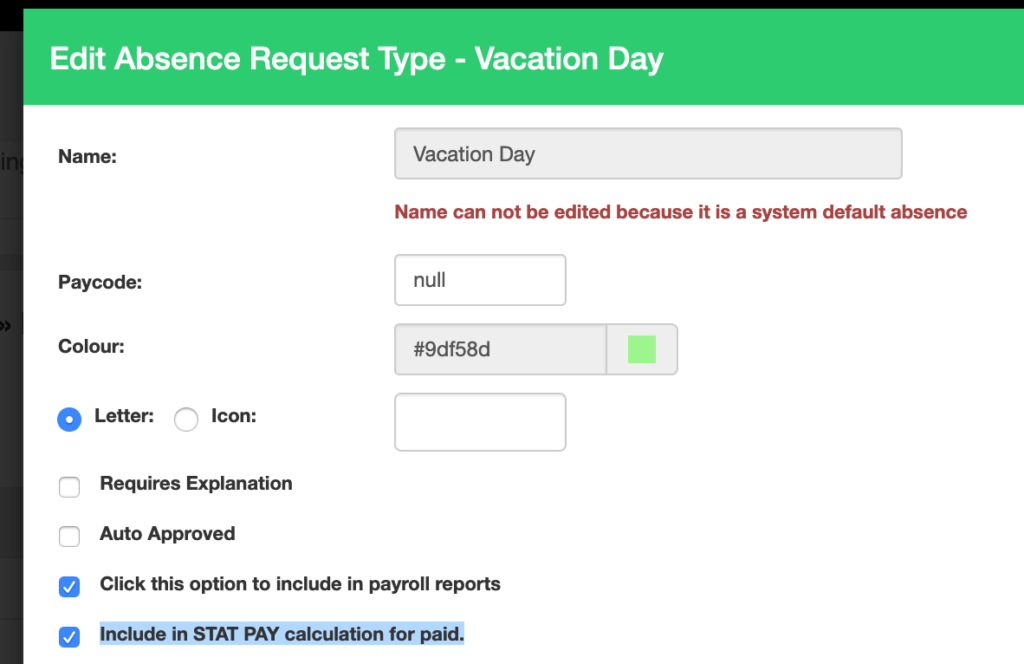


If an employee is away on PAID vacation, their hours need to be included in the stat pay calculation as RT hours. To ensure the stat pay calculator does this, turn this ON, just check off the setting below

We've added a section on the vital signs for you to enter and collect the AVG SALES PER CUSTOMER.

We’ve added a feature on the WHO’S WORKING page to allow you to quickly message your team or their emergency contact...

If you want an automatic punch option, you can enable this feature with barcode scanning. You can setup the barcode...
Quickly create, edit and oversee scheduling with ease.