Platform       Solutions       Pricing

Workforce Management

Scheduling

Create and share schedules in minutes. Reduce overstaffing and ensure you always have the right people on the floor.

Absences & Availability

Stop the back-and-forth. Track time-off requests and employee availability in one centralized calendar.

t

Who’s Working Board

Get a real-time snapshot of your entire operation. Instantly see who is clocked in, who’s late, and who’s on break.

Time & Attendance

}

Punch Clock

Secure, user-friendly options to eliminate time theft and human error. Support for web, mobile, and biometric hardware.

Time Cards

Automated digital time cards that simplify approvals. Spend less time chasing paper and more time growing your business.

Payroll Integration

Push accurate data to your payroll provider in clicks, not hours. We play nice with the platforms you already use.

Employee Engagement

Team Communication

Keep everyone in the loop with secure group chats and direct messaging. No more missed texts or messy email chains.

Company News Board

A digital hub for announcements. Ensure every employee sees important updates, safety notices, and company wins.

Employee App

Put the power of TimeWellScheduled in your team’s pocket. Employees can view schedules, swap shifts, and clock in directly from their mobile devices.

Operations & HR

HR Suite

Centralize employee training, asset tracking, and digital files. Maintain compliance with comprehensive, easy-to-access records.

Project Tracking

Monitor labor costs against specific projects or tasks. Gain visibility into equipment usage and real-time productivity.

Retail

Hotel

Restaurant

Grocery Store

Long Term Care

Compare Alternatives

Free Employee Scheduling Template

(Excel, PDF & Google Sheets)

Download the industry-standard shift template used by 50,000+ Canadian businesses. Or, skip the manual entry and build your schedule in 60 seconds with our free app.
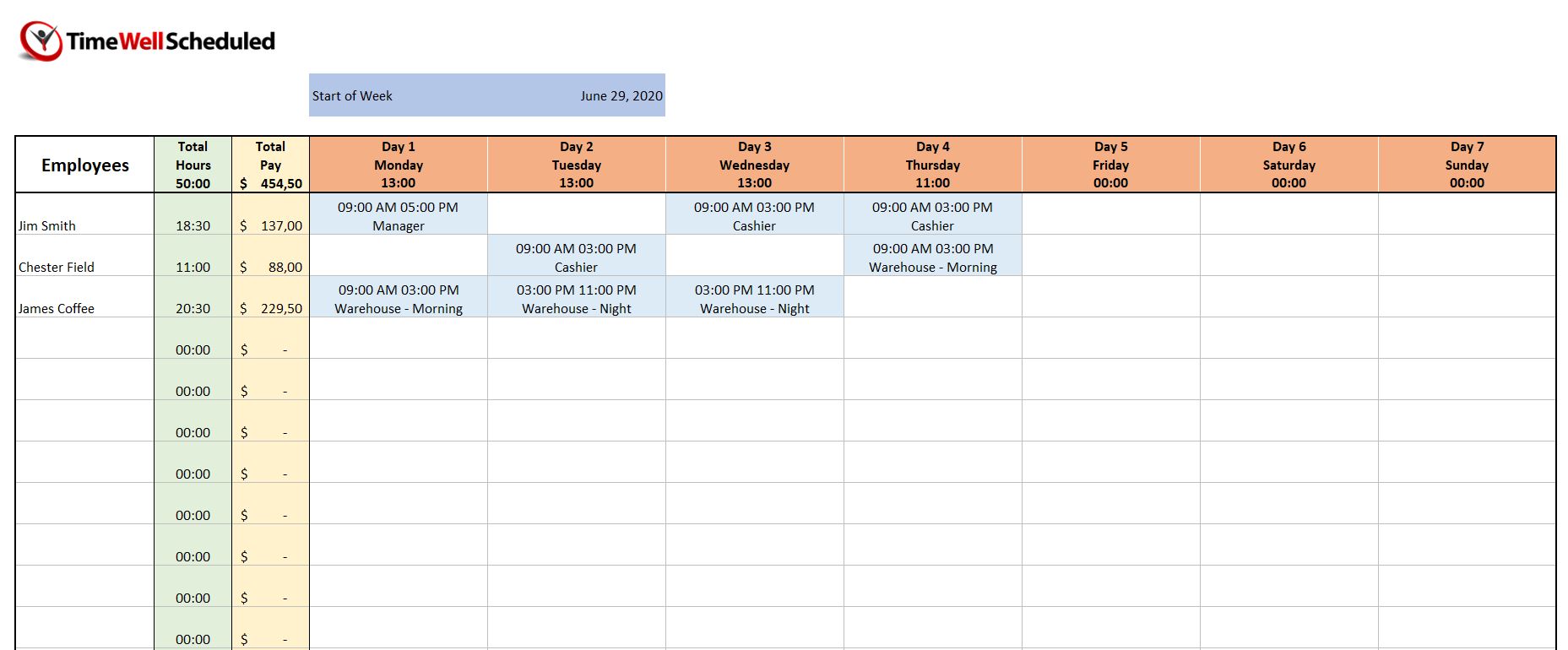
A preview of the free weekly employee scheduling template showing staff shifts, total hours, and payroll calculations in a spreadsheet format

Why Use Our Work Schedule Template?

Managing a team is a balancing act. Whether you are tracking employees working across multiple departments or just trying to organize a simple weekly shift schedule, our work schedule template is designed to eliminate the headache of starting from scratch.

Using a free schedule builder in Microsoft Excel provides a familiar interface for small businesses that aren’t quite ready for full automation. It serves as one of the most versatile calendar templates available, allowing you to visualize your coverage at a glance. However, while a spreadsheet is a great starting point, manual entry often leads to “scheduling fatigue.” For those looking to eliminate manual errors and stop the constant back-and-forth of shift-swap emails, our automated software offers a seamless transition from static grids to real-time management.

Why Managers Are Switching from Excel to TimeWellScheduled

Feature
The Free Excel Template
TimeWellScheduled (Free Plan)
Cost
✅ Free
✅ Free (Up to 10 Users)
Sharing
❌ You must email/print it
✅ Instant App Notification
Shift Swaps
❌ You update it manually
✅ Staff swap it themselves
Availability
❌ You memorize their requests
✅ Blocked automatically
Payroll Math
❌ Manual formulas (Prone to error)
✅ 1-Click Export
Mobile Access
❌ Hard to read on phone
✅ Native iPhone/Android App

How to Customize Your Free Employee Schedule

Our work schedule template is pre-configured with formulas to save you time. Follow these steps to get your team organized:
1

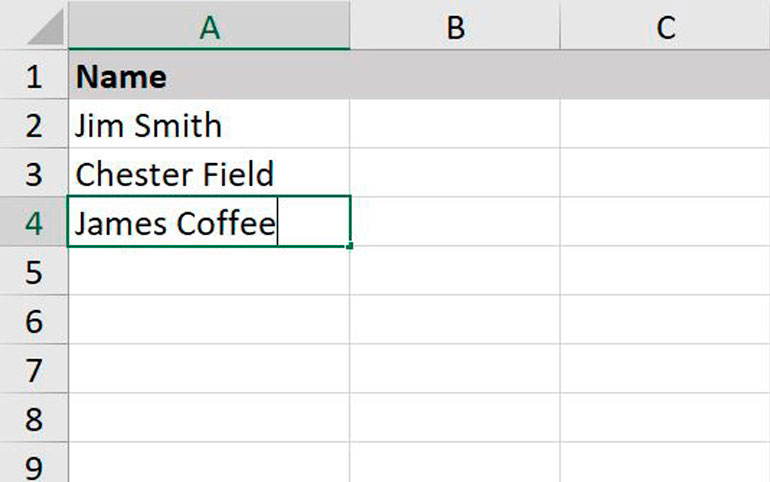
Input Employee Data:

Open the file in Microsoft Excel or Google Sheets. List your employees working this week in the primary column. We recommend grouping them by role to see your coverage clearly.

2

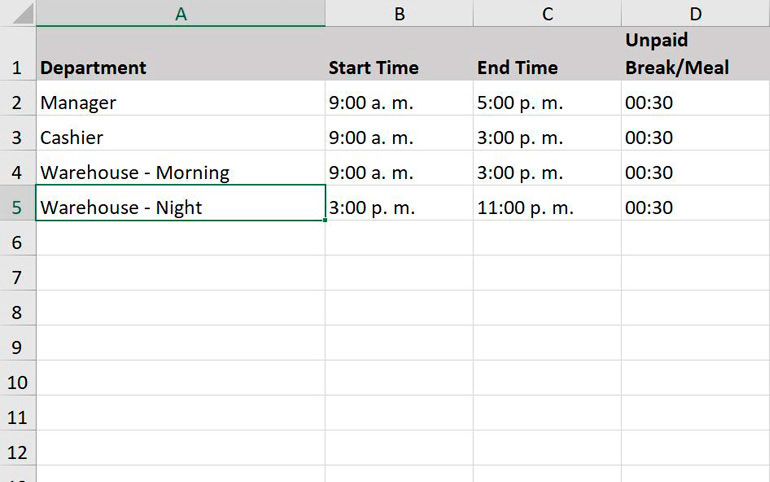
Define the Shift Schedule:

Enter the start and end times for each staff member. Unlike basic calendar templates, this sheet is built specifically for labor, helping you calculate total hours automatically as you fill in the cells.

3

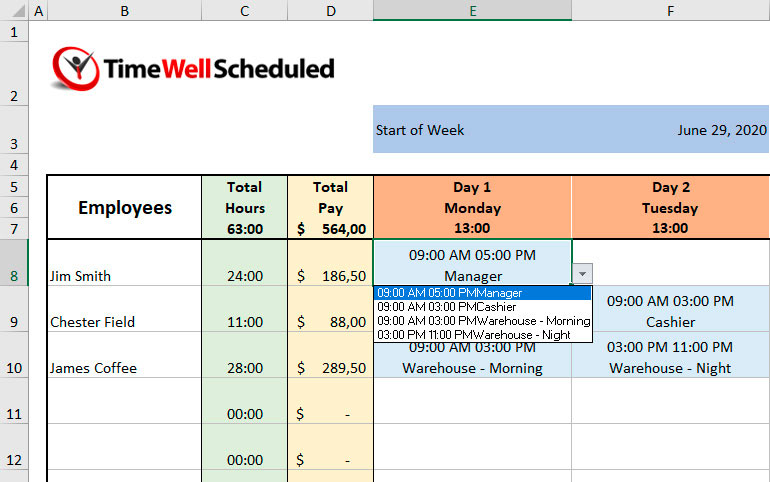
Coordinate Coverage:

Review the daily totals to ensure you have enough staff during peak hours. Note that while this free schedule helps you plan, it cannot alert you to double-bookings or time-off conflicts.

Transition to Tracking:

Once your work schedule is set, you need a way to verify that shifts were actually worked. While many managers use this sheet as a manual time clock log, manual data entry is the leading cause of payroll discrepancies.

Warning: Manual overtime calculation is the #1 cause of payroll errors. If you have more than 5 staff members, we recommend using TimeWellScheduled to calculate these rates automatically.

Pro Tip: If you find yourself spending more than an hour a week on shift schedule adjustments, it might be time to upgrade. TimeWellScheduled integrates your schedule directly with a digital time clock, ensuring that the hours on your plan match the hours on your payroll—no manual math required.

Frequently Asked Questions

Graphic representation of common questions and support regarding employee scheduling software and shift management templates

How do I calculate overtime in this template?

To calculate overtime in this Excel template, you must manually sum the total hours for each employee at the end of the week. If the total exceeds 44 hours (or your local provincial limit), you will need to manually multiply the excess hours by 1.5 to determine the overtime pay rate.

Pro Tip: Calculating overtime manually often leads to payroll errors. TimeWellScheduled calculates overtime automatically based on your specific provincial or state labor laws, ensuring you are always compliant without doing the math yourself.

Can I export this to PDF?

Yes. To save this schedule as a PDF, go to File > Export > Create PDF/XPS Document in Excel. You can then print or email this static file to your staff.

Keep in mind: A PDF is a static document. If you change a shift later, you must re-save the PDF and re-email everyone. If you use the TimeWellScheduled App, employees can view the live schedule on their phones, and they get instant push notifications whenever you make a change.

Is TimeWellScheduled really free?

Yes! TimeWellScheduled offers a Free Forever plan for small businesses with up to 10 employees. This is not a ‘free trial’ that expires after 14 days. It is a fully functional account that includes employee scheduling, time clock tracking, and mobile app access. We only charge for larger teams or advanced enterprise features.

Ready to stop copying and pasting rows?