Employees – How to request time off

October 25, 2011
As an employee, to add time off select the ‘Absence Request’ button.

On the calendar, select the correct month and day and click the ‘Add Request’ link.
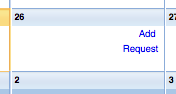
On the add request page, select the reason and add any comments you wish to share. Click Add.
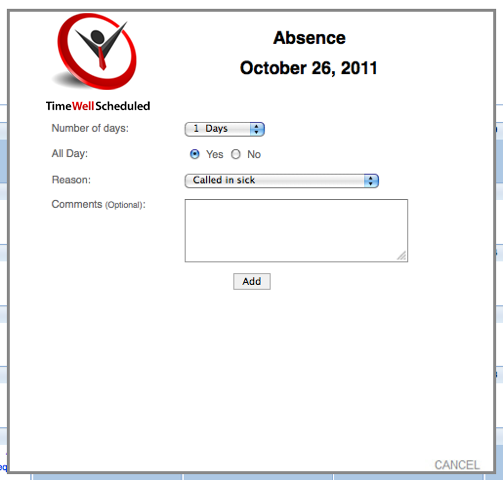
When you click add, the person you report to will receive an alert that you have requested time off. Requests are recorded as pending and require managers to approve or decline. Employees are alerted when either of these actions happen.


Let’s Work Together!

Don’t waste another minute – Try our 30 day trial.

Absence recording and split shift

Absence recording and split shift

We’ve launched an update when recording an absence for an employee who has a shift, you can link the WHOLE shift or part of the shift. For example if someone is scheduled for an 8hr shift and needs a 4hr absence, you can now split the shift. Read more here.

read more

Scheduling and Time-clock Software for Today’s Needs

Quickly create, edit and oversee scheduling with ease.

No credit card required

Scheduling and Time-clock Software